
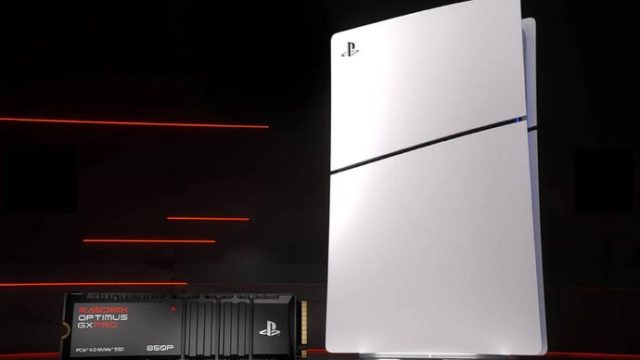
As gaming demands grow, storage solutions must keep pace. Recently, SanDisk launched its officially licensed Optimus GX PRO 850P series of NVMe SSDs specifically designed for the PlayStation 5 and its upcoming Pro variant. With gaming libraries expanding and game sizes ballooning, these SSDs present a timely solution for players needing additional storage. Here’s everything you need to know about these new additions.
The Optimus GX PRO 850P SSDs offer a reliable way to expand your PlayStation 5’s storage without sacrificing performance. These SSDs are designed for seamless integration with the PS5 architecture, ensuring that gamers can enjoy faster load times and smoother gameplay. Notably, they also function effectively with compatible PCs, making them a versatile choice for both gamers and professionals.
The Optimus GX PRO 850P SSDs are primarily available for the PlayStation 5, including the standard model and the upcoming PS5 Pro. Moreover, they can be used with Windows PCs that support NVMe drives, giving users flexibility based on their gaming and content creation needs.
To maximize your use of the Optimus GX PRO 850P SSDs, ensure that your gaming system meets the following requirements:
Upgrading your PS5 storage with the Optimus GX PRO 850P SSD is straightforward. Follow these steps to ensure a successful installation:
Before you start, it's wise to back up important data from your PS5. Use an external drive or cloud storage options available through PlayStation Plus.
Ensure your console is completely powered down and unplugged from the wall to prevent any electrical issues during installation.
Carefully remove the outer casing of your PS5. Follow a reliable online video guide if necessary to avoid damaging your console. Look for the designated SSD expansion slot.
Insert the SanDisk SSD into the M.2 slot at an angle, then secure it with the provided screw. Ensure it fits snugly, but avoid forcing it into place.
Once the SSD is installed, carefully reattach the casing of your console. Make sure all screws are in place and secure.
Plug your PS5 back in and power it up. The console will prompt you to format the new SSD for use. Follow the on-screen instructions to complete the process.
In an era where game sizes can exceed 100GB, relying on the internal storage of your PS5 may not suffice. With upcoming titles requiring more space, having a high-quality storage solution is critical for uninterrupted gaming. SanDisk's Optimus GX PRO 850P SSDs offer an answer to this growing problem, ensuring that gamers can expand their libraries without hassle.
The release of the SanDisk Optimus GX PRO 850P SSDs presents a significant opportunity for PlayStation 5 users looking to enhance their gaming experience. These drives provide the performance and reliability needed for modern gaming demands. As the gaming landscape continues to evolve, upgrading your PS5 with a capable SSD is not just a luxury but a necessity. Explore the benefits today and ensure your console can keep up with the latest titles.


























